






















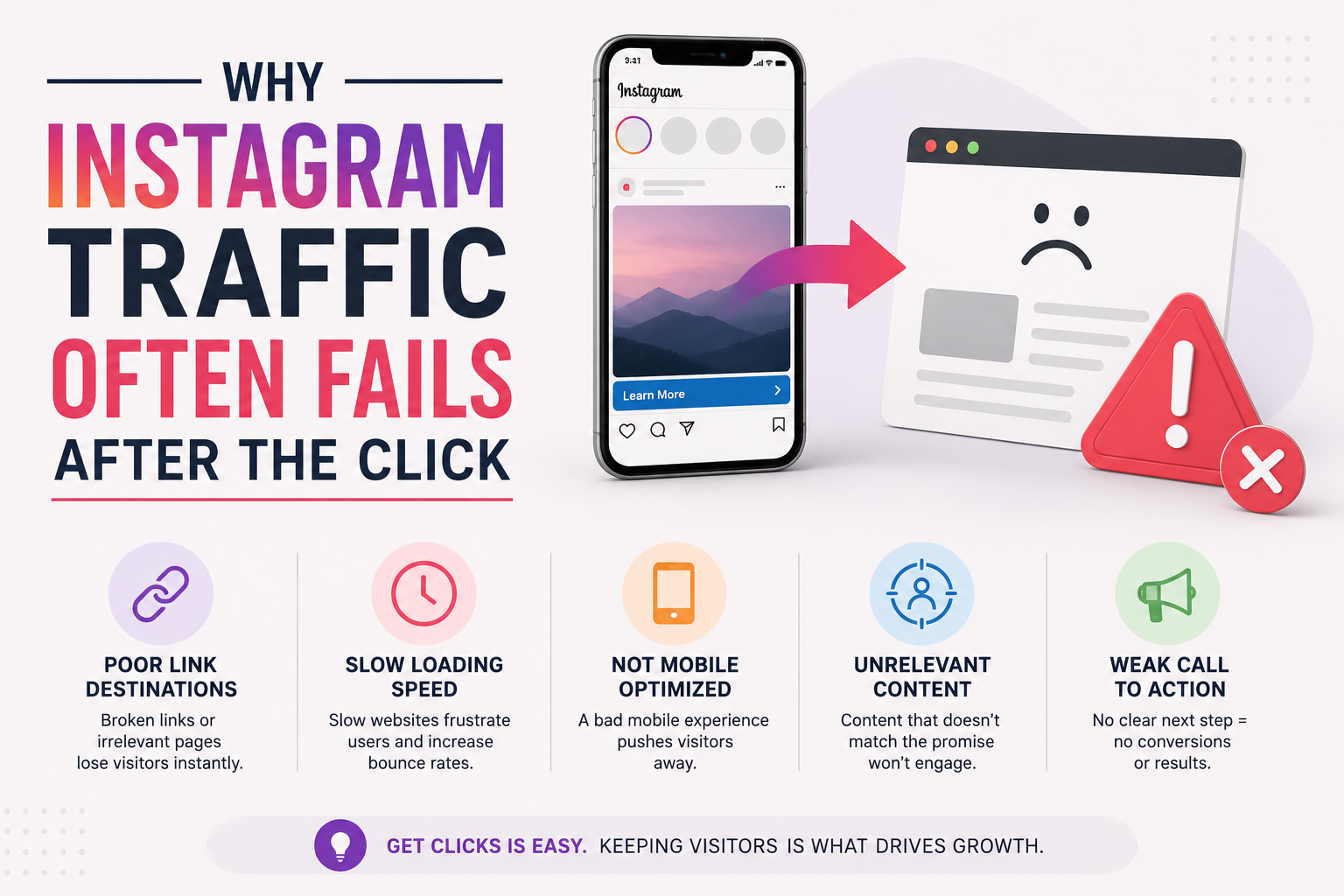
Getting someone to click a link on Instagram feels like a small victory.
You created the post, wrote the caption, earned the attention, and gave the person a reason to visit your website. Unfortunately, the experience can start falling apart immediately after that click.
The problem is not always your landing page, offer, or website speed. Sometimes, the problem is the browser Instagram uses to open your link.
Instead of opening the website in Chrome, Safari, or the visitor’s preferred browser, Instagram normally opens links inside its own built-in browser. This keeps the user inside the Instagram app, but it can create problems for the website they are trying to visit.
For businesses, creators, and marketers, those problems can lead to lost sales, inaccurate tracking, interrupted logins, and frustrated visitors.
What Is an In-App Browser?
An in-app browser is a simplified browser built into another application.
When someone taps a link inside Instagram, the page often appears without fully leaving the app. It may look similar to a normal browser, but it does not always behave the same way.
The visitor may not immediately realize the difference. The page still loads, and there is usually an address bar or menu. Behind the scenes, however, the website may not have access to all the features available in a full browser.
Depending on the website and device, this can affect cookies, saved passwords, payment systems, analytics, login sessions, downloads, and links that need to open another application.
That is why a landing page might work perfectly when tested in Chrome but behave differently when someone reaches it through Instagram.
The Click Is Only the Beginning
Marketers spend a lot of time improving click-through rates. They test headlines, images, calls to action, posting times, and link placement.
Those things matter, but a click is not the final goal.
The real goal might be:
- Completing a purchase
- Joining an email list
- Scheduling an appointment
- Downloading a resource
- Logging into an account
- Applying for a service
- Reading an article
- Visiting another app
A campaign should be evaluated based on whether visitors complete that next step, not simply whether they click.
When Instagram’s in-app browser creates friction, the campaign may appear to be generating interest while producing fewer actual results.
Common Problems With Instagram’s In-App Browser
Not every visitor will encounter a problem, and not every website feature will fail. That inconsistency is part of what makes the issue difficult to diagnose.
Here are some of the most common trouble spots.
Password managers and saved logins
People are accustomed to their normal browser remembering passwords and account information. Those saved details may not be available inside Instagram’s browser.
A visitor who intended to sign in may decide the process is not worth the effort, especially if the password is long or stored in a password manager.
Shopping carts and checkout pages
Online checkout processes frequently involve cookies, multiple page loads, payment processors, and security checks.
Even a minor interruption can cause someone to abandon the purchase. A checkout page that behaves unexpectedly also makes visitors less confident about entering payment information.
Analytics and attribution
Marketers use tracking parameters, cookies, and analytics platforms to understand where visitors came from and what they did.
In-app browsers can make that data less complete or harder to interpret. A campaign may generate conversions without receiving proper credit, or a user’s journey may appear fragmented across multiple sessions.
Affiliate tracking
Affiliate links often depend on URL parameters and cookies to assign credit for a referral. When those details are removed, blocked, or interrupted, the affiliate may not receive the commission they earned.
Even when the destination page loads correctly, the tracking behind it may not work as expected.
Downloads and app connections
A website may ask the visitor to download a file, open a map, launch an email application, or continue inside another app.
These transitions can be less reliable from an embedded browser. The visitor may need to find an additional menu, copy the URL, or manually reopen the page somewhere else.
Each additional step gives that person another opportunity to leave.
Why Asking Visitors to Open Another Browser Is Not Enough
One possible workaround is to add instructions telling visitors to tap the menu and choose “Open in Safari” or “Open in Chrome.”
Technically, this may solve the problem. Practically, it puts the responsibility on the visitor.
Most people will not troubleshoot a marketing link. They will assume the page is broken, inconvenient, or not worth their time.
This is especially true for visitors who are casually browsing Instagram. They did not begin with a strong intention to purchase or complete a complicated process. The smallest obstacle can send them back to their feed.
Good marketing removes unnecessary steps instead of explaining how to complete them.
How to Create a Better Experience for Instagram Visitors
The first step is to test your links the same way your audience uses them.
Do not test only by pasting the URL into a desktop browser. Add the link to an Instagram bio, Story, or direct message and open it from the Instagram app on a real phone.
Test the complete process, including forms, logins, checkout pages, downloads, and confirmation screens.
You should also keep Instagram landing pages relatively simple. Reduce unnecessary scripts, popups, and complicated navigation. Make the primary action clear and easy to complete on a small screen.
When the destination depends on features that work best in a full browser, consider using a redirect designed to move the visitor out of Instagram’s embedded browser. This guide explains one method to make Instagram open links in an external browser so visitors can continue in Chrome, Safari, or their normal system browser.
Opening the page externally can provide access to saved passwords, established browser sessions, normal cookie behavior, and a more familiar checkout experience.
Check the Entire Conversion Path
A landing page is only one part of the customer journey.
For example, imagine that someone sees an Instagram Story promoting an online course. They tap the link, read the sales page, and decide to purchase.
From there, they may need to:
- Choose a payment option.
- Enter their contact information.
- Sign into PayPal or another payment service.
- Return to the website.
- Create an account.
- Check their email.
- Open the course platform.
Any break in that chain can cost the sale.
Testing only the first page would not reveal problems happening later. The entire path should be tested from inside Instagram, preferably on both iPhone and Android devices.
Better Traffic Is More Important Than More Traffic
It is tempting to focus on getting as many visitors as possible. However, 1,000 frustrated visitors may be worth less than 200 visitors who receive a smooth, reliable experience.
The quality of the transition between Instagram and your website matters.
When that transition works, visitors can focus on your message and offer. When it does not, they are distracted by login problems, missing buttons, failed payments, or unfamiliar browser controls.
Those may look like technical details, but they directly affect marketing performance.
Before increasing your advertising budget or posting more frequently, test what happens after someone clicks. Fixing the experience you already provide may produce better results than generating more traffic to a process that is quietly losing visitors.