





















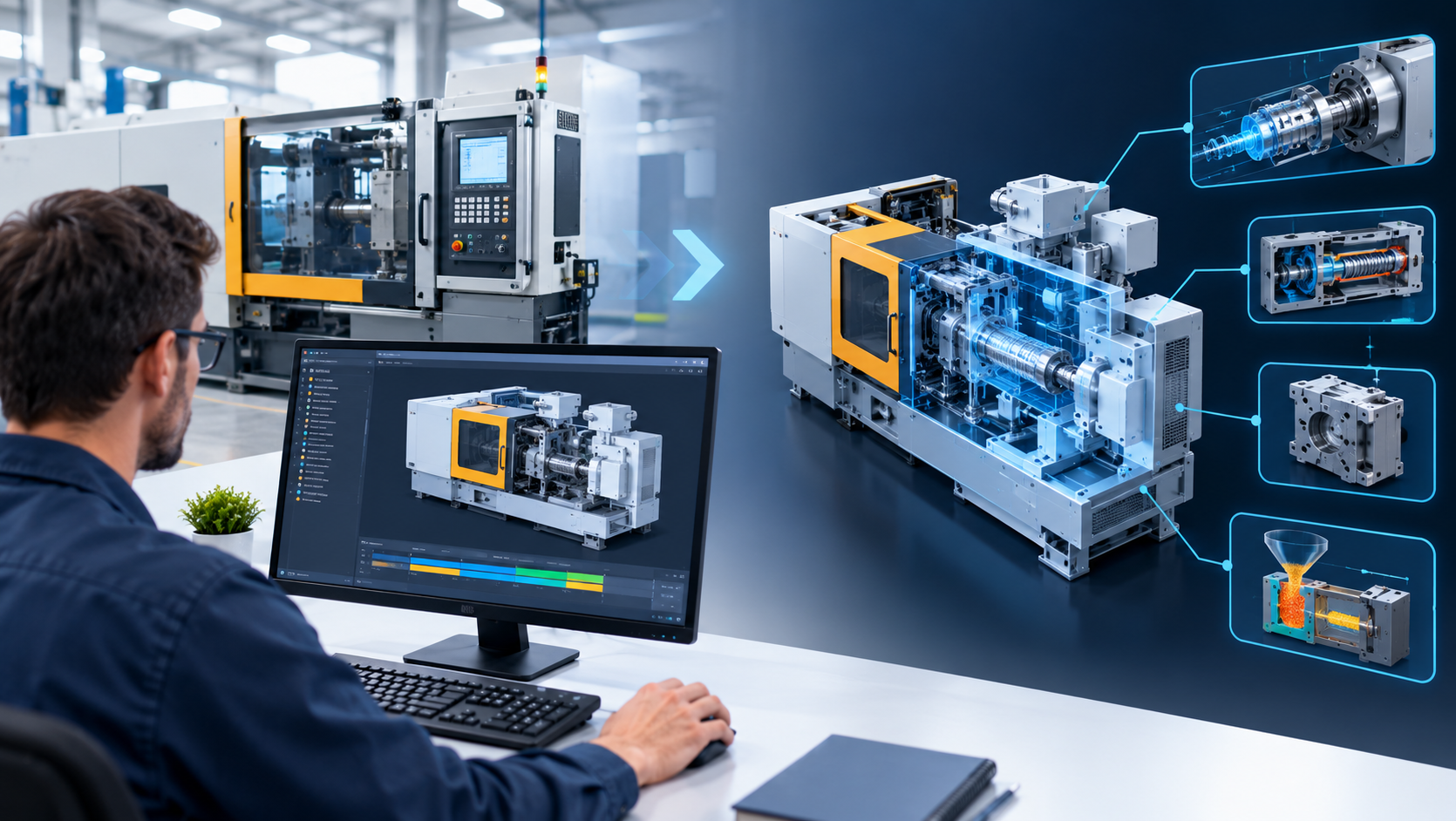
Industrial equipment is difficult to explain. A packaging line, hydraulic press, or CNC cell may contain hundreds of moving parts, hidden mechanisms, and tightly timed sequences. Photographs show only the exterior. Drawings assume the viewer can read them. Even a live demonstration cannot show what happens inside a sealed housing. Industrial 3D animation closes this gap by turning engineering data into a visual explanation that engineers, buyers, operators, and technicians can understand without specialist training. For manufacturers, it is no longer only a marketing extra. It is a practical communication tool that supports sales, training, maintenance, and design review.
Why Complex Machinery Is Hard to Communicate
Manufacturing companies often know their products far better than their audiences do. That knowledge gap creates communication problems at nearly every stage of the product lifecycle.
Common examples include:
- A buyer cannot judge how a machine works from a brochure
- A new operator struggles to follow a long written procedure
- A maintenance technician cannot see how components are arranged behind a panel
- A distributor cannot explain the product’s advantages to customers
- An executive cannot evaluate a proposed machine from technical drawings alone
Static media has clear limits. Photos hide internal mechanisms. Datasheets list specifications but not behaviour. Written manuals describe a sequence step by step, but readers must imagine the motion themselves. 3D machinery animation removes much of that guesswork by showing the machine in action, from any angle, at any speed.
What Industrial 3D Animation Actually Is
Industrial 3D animation is the creation of moving, computer-generated visuals that explain how industrial products, systems, and processes function. It is usually built from existing CAD models, engineering drawings, or product specifications, then prepared for animation and rendered into video or interactive formats.
It differs from entertainment animation in one important way: accuracy matters more than spectacle. A viewer should be able to trust that a gear rotates in the correct direction, a valve opens in the correct sequence, and a conveyor moves product the way the real equipment does.
The most common formats include:
- Product animation showing features, benefits, and operation
- Process animation explaining a manufacturing sequence from raw material to finished part
- Assembly animation showing how components fit together
- Exploded-view animation separating a machine into layers to reveal internal structure
- Cutaway animation exposing sealed or hidden mechanisms
- Installation and maintenance animation guiding technicians through service procedures
- Factory and plant animation showing layout, material flow, and equipment relationships
From CAD Data to Finished Animation
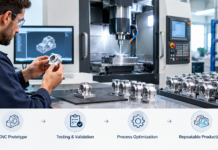
Most manufacturers already own the raw material for an animation: their CAD models. Converting that data into a clear visual story follows a repeatable workflow.
| Stage | What happens | Why it matters |
| Discovery | The audience, goal, and key message are defined | Prevents an animation that tries to explain everything |
| Data preparation | CAD files are cleaned, simplified, and organised | Engineering models are often too heavy for animation |
| Scripting and storyboard | The sequence of scenes is planned | Keeps technical content in a logical order |
| Modelling and texturing | Materials, colours, and surface details are added | Makes equipment recognisable and professional |
| Animation | Motion is applied to parts, tools, and materials | Shows actual machine behaviour |
| Lighting and rendering | Scenes are lit and exported at final quality | Delivers a polished, consistent visual |
| Review and revision | Engineers verify technical accuracy | Protects credibility |
One practical point deserves attention early. Native CAD assemblies can contain thousands of tiny features such as fasteners, threads, and internal details that add file size without improving understanding. Preparing the model before animation, by removing hidden geometry and grouping components, keeps the process efficient and the final visuals clean.
Where Manufacturers Use Industrial 3D Animation
Sales and Product Marketing
A buyer evaluating industrial equipment wants proof that it will solve a specific problem. Manufacturing animation can demonstrate throughput, safety features, changeover steps, and internal design advantages that photographs cannot capture. A short product animation on a website or trade-show screen often communicates more in sixty seconds than several pages of specifications.
It also helps with international sales. Because animation can rely on visuals rather than spoken language, one core video can be adapted for different markets with subtitles or a replaced voiceover.
Operator Training
Training new staff on complex equipment is expensive when it depends on live machines. Production may need to stop, and mistakes can be dangerous. Training animation lets operators study the correct sequence before they stand in front of the machine. They can see where hands should and should not go, which guards must be closed, and what the machine does after each command.
Maintenance and Service Instructions
Maintenance is where technical animation often delivers practical value. A technician who can watch a filter replacement, seal change, or alignment procedure in 3D is less likely to misread a diagram or skip a step. Instructions can also be linked through QR codes on the machine itself, so the right animation is available at the point of work.
Engineering Review and Stakeholder Approval
Design teams use animation to check motion paths, spot interference between components, and explain proposed changes to people outside engineering. A procurement manager or executive may not read an assembly drawing, but they can watch an animation and understand the proposal. This shortens approval cycles and reduces misunderstandings.
Investor, Partner, and Customer Presentations
Equipment that does not yet exist cannot be photographed. Animation allows a company to present a prototype, a new production line, or a proposed plant layout before it is built. This is especially useful for bids, funding discussions, and customer proposals.
Industrial 3D Animation vs. Other Visual Methods
Animation is not always the right choice. Different tools suit different goals.
| Method | Strength | Limitation |
| Photography | Shows real equipment authentically | Cannot reveal internal workings |
| Live-action video | Captures real operation | Expensive to film, hard to show hidden parts |
| Technical drawings | Precise and detailed | Requires trained readers |
| Written manuals | Thorough and searchable | Slow to absorb, easy to misinterpret |
| 3D renders (still images) | Clean visuals before production | No motion or sequence |
| Industrial 3D animation | Shows function, sequence, and internal structure | Needs upfront planning and accurate source data |
Many manufacturers combine these methods. A product page might use still renders for the hero image, animation for the working principle, and a downloadable drawing for engineers.
Choosing Between Realistic and Simplified Styles
Not every animation needs photorealism. The right visual style depends on the purpose.
- Photorealistic style suits sales videos, trade shows, and premium brand presentations
- Semi-realistic style balances clarity and cost for general product explanation
- Simplified or schematic style works well for training, where highlighting a mechanism matters more than appearance
- Colour-coded style helps distinguish flows such as air, fluid, power, and material
A common mistake is spending budget on cinematic effects when the real need is clarity. If viewers are meant to learn a procedure, extra lighting and camera drama can distract from the instruction.
What Makes an Industrial Animation Effective
Technical accuracy is the baseline, but accuracy alone does not guarantee a good result. Strong animations share several traits.
- One clear objective. The animation should answer a single question, such as how the machine works or how to service it
- A defined audience. Content for buyers differs from content for technicians
- Logical pacing. Complex steps need time on screen, and viewers need a moment to absorb each change
- Purposeful camera movement. Moves should guide attention, not show off
- Simple visual hierarchy. Highlight the relevant part and fade distractions
- Concise narration or text. Labels and voiceover should support the visuals, not repeat them
- Engineering sign-off. Someone who knows the equipment should review every scene
Common Mistakes to Avoid
Several problems appear repeatedly in industrial animation projects:
- Starting production before the objective is defined
- Using unprepared CAD data that slows rendering and clutters scenes
- Trying to show every feature in one video
- Skipping technical review until the final render
- Ignoring where the animation will be viewed, whether on a trade-show screen, a phone, or a training room display
- Producing a single long video instead of shorter modules that can be reused
- Failing to plan for product updates, which makes future revisions expensive
Planning for revision is worth special attention. If a product design changes, a well-organised animation project can often be updated without starting again. A poorly organised one may need to be rebuilt from scratch.
How to Measure Whether the Animation Works
An animation should support a business result, not simply exist. The right measure depends on its purpose.
- Sales animations: website engagement, enquiry quality, and how often sales teams use the video in proposals
- Training animations: time to competence, error rates, and instructor feedback
- Maintenance animations: service time, repeat faults, and technician confidence
- Engineering animations: number of review cycles and misunderstandings caught before production
Collecting feedback from the people who actually use the animation is more useful than judging it only by visual quality.
Looking Ahead: Interactive and Connected Animation
Static video has only one output. The same 3D assets can often support interactive configurators, augmented reality overlays, virtual training environments, and digital twin visualisations. Building models and scenes with reuse in mind lets a manufacturer extend one investment across several formats. A model created for a product video today may later support an interactive sales tool or an AR-assisted service guide.
Clear Communication Is a Competitive Advantage
Manufacturers rarely struggle because their equipment is unimpressive. They struggle because its value is hard to see. Industrial 3D animation makes the invisible visible: internal mechanisms, process sequences, safety features, and installation steps that customers, operators, and technicians would otherwise have to imagine.
The best results come from starting with a specific communication problem, preparing accurate source data, involving engineers in the review, and choosing a visual style that fits the audience. When those pieces are in place, complex machinery stops being a barrier and becomes a clear, convincing story.